Friday, August 14, 2015

Week 3: Video Planning and Storyboarding

With my script written, storyboard and shots planned. The last thing I need to do is get a couple of props made, and I'm ready to shoot this weekend. 

Since I added a storyline to my game, it's made planning the video prototype a lot easier and a lot fun too. I'm excited to film and edit and may even add some animations in if I have time). I'm hoping to shoot it all tomorrow morning, and *hopefully* do most of the editing tomorrow, maybe even get it done in a day. 


Storyboard:


Listing out my shots, props and locations

Tuesday, August 11, 2015

Concept to Prototype: Frogger X Guess Who

The concept I'm running with for now is a mashup of the classic games Frogger and Guess Who. While these games don't really have anything in common, I've taken some key components from each game to mix together into one awesome and challenging game, working title "Hop to Who?!"


Frogger elements:

  • The game objective of getting the frog safely across the road.
  • Timing the moves to avoid getting hit by moving objects such as traffic.
  • The frog character and the level design.


Guess Who elements:
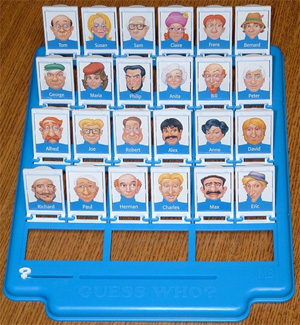
  • Eliminating all the characters displayed so only 1 remains, by the help of descriptive clues.
  • Physical interaction of flipping down tiles.


The Story of 
"Hop to Who?!":

The Frog is a lonely amphibian looking for love. He'll go to any length to find "The One" so he's risking it all by traversing across the dangerous highway all for a blind date. It's your mission to get him to his correct date safely. Make an ill-timed move and it's all over for him. Choose the wrong character and he'll leave broken hearted. 


How to play:
  • The on-screen interface will display a frogger like level, there also will be a physical Guess Who style board with 16 character tiles shown face up.
  • There are 2 objectives, both equally important. Get the frog across the road to safety and eliminate all but one of the characters correctly.
  • To move forward the player has to flip down a character's tile
  • The computer will show clues about what the mystery character looks like, so the player can flip down irrelevant tiles.
  • The challenge is to flip the tiles down in sync with moving the frog to avoid collisions. This requires 2 mental processes to happen at once, strategic elimination and quick response.
  • If the player gets the frog to safety, then there is the added reveal to check if they have selected the right character. Hopefully Frog can live happily ever after!


To Do Next:
Start planning the video prototype, writing the script, storyboard so I can shoot and edit this weekend. I also need to write the Statement of Delivery and a Testing/Evaluation plan. The next blog will be about the video prototyping process.


Week 3: Video Critiques

During this week's lecture we watched a few more examples of video prototypes, all with varying degrees of good and not so good points. Watching and discussing these videos definitely helped to break down what works and what is less successful in a video, and hopefully I can take away the good examples and apply this to my own video.


Brisbane Park Finder


First impression
Definitely not a compelling video, the communication of the concept wasn't clear, and the production quality fairly poor.

Can you understand the concept?
By the end of the video I did understand the concept, however I don't think it was completely clear from the beginning.

What questions does it raise?
They never really addressed what the problem was, and how their product solved anything and if there is a need for this product. They didn't show the product in use much at all, so I was left wondering if they successfully built the features they described.

What could they do better?
Show the product more and scenarios of it being used. There was a super quick shot of it being used, but the rest of the video only showed the guy describing how it worked, not showing it in use. Improving the audio, there was a bit of background noise.

What do they do well?
What they showed of the Park Finder looked good.

Is there a better way to show certain things?
Showing the demonstration of the Park Finder would have been better if the audio description matched the voice over. He mentioned an example of searching in Greenslopes, however the demo showed a different suburb, which I found distracting, and therefore detracted from what he was trying to communicate.

Quality of the video/audio
The video quality seemed fine. The audio had a lot of obvious background noise.


Google Docs in Plain English


First impression
Overall I found this quite easy to follow and rated it as an example of a good video.

Can you understand the concept?
Yes it was communicated very clearly. It uses appropriate language, and uses metaphors to help the audience understand more abstract concepts, e.g Docs is a "home" for our documents. The visuals supplement the description well and further illustrate their message.

What questions does it raise?
I think it's pretty well explained.

What could they do better?
Some of the production quality was quite lo-fi, but this may have been their intention. The voiceover and pacing was a little too fast and possibly could have been slowed down a bit to help viewers take the information in.

What do they do well?
They defined a problem at the beginning the of video and told the story of a user scenario which illustrated their solution.

Is there a better way to show certain things?
They didn't show the use of an actual Google document directly, with only explaining the features of Google Docs.

Quality of the video/audioIt was well produced, and the audio was clear.


Pegasus Game


First impressionConfusion about what this game is actually about

Can you understand the concept? No at all - only that it is some kind of board game - possibly?

What questions does it raise? 
What is this game about? What are the rules? Why should I play this?

What could they do better? 
Give some explanation about what the game is about, why it should be played, how is it played. The soundtrack wasn't really appropriate, especially considering it was the only audio track it felt unnecessary and distracting.

What do they do well? The footage of the game play looks of a high quality.

Is there a better way to show certain things? The gameplay needed description, showing various moves made in the game means nothing to the audience if they don't know the objectives of the game. This could be a voiceover, or text descriptions throughout.

Quality of the video/audio 
Production wise the quality was fine.


Gauss Glasses


First impression
Pretty good overall, perhaps too long in describing the science behind it.

Can you understand the concept? 
Yes, it was explained well, the problem and solution was clearly defined.

What questions does it raise?
I wasn't sure how these glasses rate against regular glasses. Also I was wondering how accurate the dangers of the blue light is, and how these glasses rate in protecting against it (maybe that's my inner sceptic thinking). Although the way they explained the problem of blue light did make me feel concerned, albeit quite alarmed when they showed the light burning the back of the eyes.

What could they do better?
Some of the animation, such as the moving graph of the light radiation I didn't understand, it looked very scientific, but I didn't know what the significance of the data was, so this could have been illustrates better. Also including some feedback from professionals like optometrists to help give quality assurance and professional back up to their claims.

What do they do well?
They definitely sold their product and it's benefits well, and compelled me to consider buying the glasses. They showed great video of the people behind the manufacture, so that assured me that they were going to be made well.

Is there a better way to show certain things? 
Some of the animation could have been done in a more refined manner (for example the burning eye animation) and the graphs could have been shown in a more approachable way.

Quality of the video/audio 
It was really well done and professionally produced.


Overall takeaways:
  • A good video should introduce the problem space at the start, and subsequently offer a solution to this problem. 
  • Relate the solution back to the audience, tell them why this product benefits them. 
  • Communicate clearly, so that the whole audience can understand (i.e. don't use technical jargon if your audience are laymen) 
  • Use scenarios to show the context of use and explain how the product works 
  • Visuals should support the audio descriptions. 
  • Inferior production quality can detract from the video's message and professionalism.

Monday, August 10, 2015

Week 3: Ideas

So far I've come up with 2 potential ideas to prototype:

Wearable Idea
  • Problem: Meeting new people can be daunting for the first time and can create social awkwardness/anxiety

    Solution: A small wearable display that either encourages or dissuades social interaction by showing compatibility with those around you. If you meet someone who shares no common interests it can be awkward or tedious to have to make conversation with that person. Using this, people will enter their interests in a companion app. When you get near to someone (who's also wearing one) the device will display a happy face if you have many things in common or a sad face if not. You can now avoid people based on this and find people who may be more compatible. Alternatively you could challenge yourself to talk to people with no common interests as you. Either way, people would have some conversation material to break the ice.

    I'm not sure how I'd use this concept for the interactive prototype 2 requirement. This requires a physical input component, using the MakeyMakey to create a novel physical interaction, and this concept so far doesn't really afford any creative physical interactions now, apart from wearing the device and looking at it's display.

Game Mashup Idea
The idea I've been thinking about so far is a mashup between Guess Who and Frogger:
  • Combining the guessing/elimination element of Guess Who with the gameplay of Frogger (i.e. crossing the road while avoiding danger).
  • The aim is to navigate the frog across the road to safety and also eliminate other characters to reveal 1 final character (this character could be revealed once all others are eliminated and the frog crosses the road)
  • The computer chooses a character. The player has to make a guess based on the given options about the characteristics of the unknown character (e.g. is it/he/she wearing a hat?). Each correct elimination allows the frog to make a move across the road.
  • Physical Interactions: using large tiles like in Guess who with different characters displayed, each time the player flips one down allows the frog to make a move. The player has to time each flip to avoid moving objects, which is shown on the screen.
  • You lose if the frog dies (by getting hit) or if you guess the character incorrectly.
  • The game could be 2 player, the fastest player to cross and guess correctly wins.

This week's plan is to choose one of these ideas (I'll get some feedback from other people) and elaborate on how it can be prototyped.
I need to start on planning a script and statement of delivery for the video prototype, so I can start filming on the weekend. I'm aiming to edit it and finalise statement of delivery by early next week, before the Wednesday deadline.

Wednesday, August 5, 2015

Week 2: Video Editing

In today's prac we were introduced to video prototypes and shown some good examples of explainer and Kickstarter style videos. Pete also explained some best practices when shooting video and the process of planning and creating a good video.

We then had a chance to practice our video editing skills using Photoshop. I'm quite experienced with Photoshop and I've used some video editing software in the past, so using the video timeline wasn't too challenging. Being able to use the other Photoshop tools such as adjustment layers in video was also handy.

Here's my final creation:


Tuesday, August 4, 2015

Week 2: Prototyping with Augmented Reality

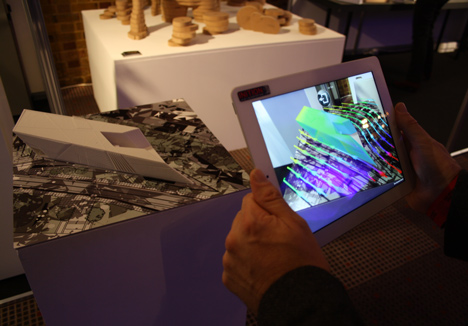
Augmented Reality (AR) blends the digital and the real, allowing people to visualise 3D virtual forms in a physical setting in real time. 


Using AR when learning to weld with Soldamatic

Using AR as a prototyping tool allows users to experience a realistic simulation of the the prototype without very little or all functionality.


Using Microsoft's HoloLens as a protoyping tool


Exercise: Design a variation of an everyday object, using AR as a prototyping tool

The everyday household object that I have chosen is a floor lamp. The design variation on the stock standard lamp is a lampshade that can change design and be customised to suit the owner's aesthetic preferences. For example, the lamp shade's colour could be changed to suit the interior decoration of a living room, it could display a montage of the owner's Instagram photos, or it can project unique moving silhouettes over the room. 

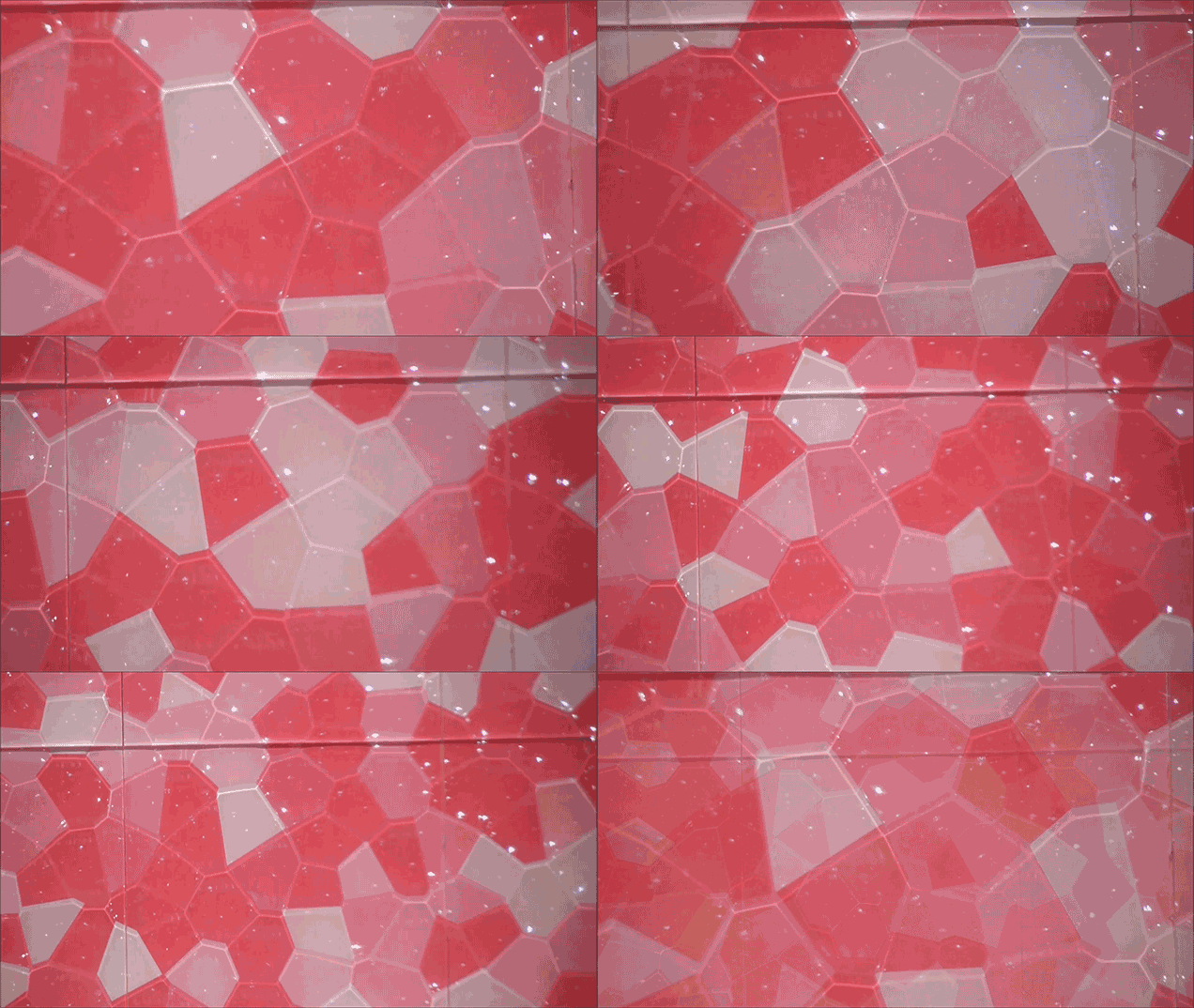
Customisable lamp shades could look similar to this. Source: Random Good Stuff

It may be difficult to produce a working prototype to communicate how the final product may appear, especially in early stages where the technology may not be fully realised (possibly using something like projection mapping or coloured e-ink).  Using AR will allow designers and users to visualise the different design possibilities and get a good understanding of the final product. 

Colour-changing film, E-Ink's Prism


The AR device will digitally project the user's chosen lampshade preference onto the plain lampshade which acts as a green screen. The user can customise the lamp's settings using a paired smartphone app where they can choose from various colours or patterns or import their own images, and see them displayed on the lamp in real time. 


References:
http://www.dezeen.com/2013/01/04/inition-develops-augmented-3d-printing-for-architects/
http://www.cnet.com/news/the-next-big-thing-in-tech-augmented-reality/
http://www.pcworld.com/article/2873657/hands-on-with-microsofts-hololens-the-3d-augmented-reality-future-is-now.html
http://gizmodo.com/color-changing-e-ink-is-here-but-not-in-ebook-readers-1677767392

Week 2: Prac Review

In today's prac we got together in small groups and did some brainstorming for the 2 prototype challenges. 

First we came up with some examples of faux pas, awkward or embarrassing behaviours:
  • Rude interruptions in conversation
  • Asking (mistakenly) if someone is pregnant
  • Eating habits - too noisy, with hands, mouth open
  • Walking in public spaces - a large group of people taking up the whole path, standing on the right side of an escalator, stopping in the middle of a thoroughfare or the top of an escalator.
  • Playing loud music on public transport
  • Speaking too loudly on the phone
  • Not controlling naughty children
We then had to take one of these social faux pas and generate an idea for a wearable that transformed this behaviour either in a subtle way or an obvious way.

Our idea was a small wearable device like a lapel mic, that while listening to the wearer's conversation, it can detect if something offensive is said to another person. If an embarrassing remark is spoken, the device sends an alert to the wearer's phone, prompting it to start calling in order for them to avoid any further embarrassment or confrontation. The wearer can then make a convenient escape. 

Then we chose 1 game from each column and discussed the main features of each game, and what was the most fun, challenging or interesting element from each. 

For Hangman some of the features we discussed included the challenge of choosing the best letters, process of elimination, limited "lives", the different rules players have for drawing the hangman, the fun in drawing each line one by one to form the complete picture.

For Guess Who, features included the process of eliminating characters, choosing the initial character that is hardest to guess (eg doesn't have any striking individual features that can eliminated quickly), the physical actions of flicking the tabs up and down and the noise they make.

For Lemmings we talked about the problem solving aspects of the levels, there are multiple paths/solutions, puzzle game, the cute characters, wanting to protect and guide the lemmings.

To create our Hangman/Lemmings mash up we took 1 aspect from each game to create a new game "Hanging  by a Thread". Our somewhat morbid game took the cheating death theme from Hangman (ie the relief you feel when your man doesn't get hanged), and from Lemmings, the cute characters that you form an emotional attachment with. 

Or game works like hangman where you guess the mystery word. However each wrong guess brings a guillotine blade closer to a cute kitty. Every time you guess right prolongs the kitty's time to doom, and if you get a correct answer you get some kind of time extension or the blade lifts further up. You can even get some rewards for your cat while it's waiting, like a bowl of milk or a toy :)


Today's prac exercises were really helpful in getting the ball rolling in generating concepts for the main project. Hopefully I can continue exploring some fun and creative ideas to prototype!